


Checkers - Online & Offline
4.51.44K Reviews
App Specs
- Version
- 2.9.3
- Updated On
- License
- Free
- Downloads
- 10,000,000+
- Developer
- GamoVation
- Categories
- Board
- Platform
- Android, iOS
Screenshots
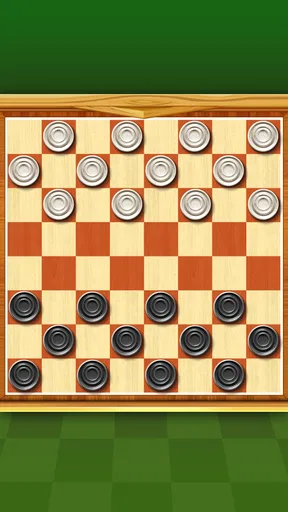
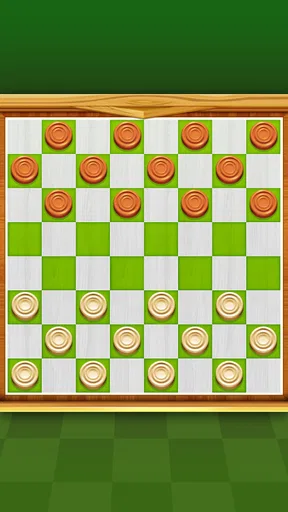
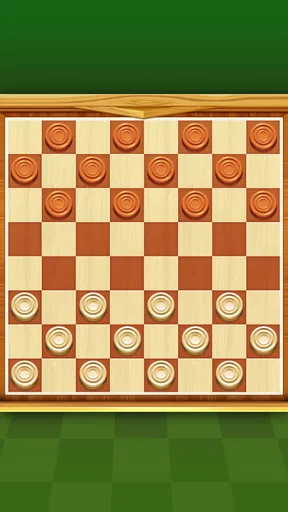
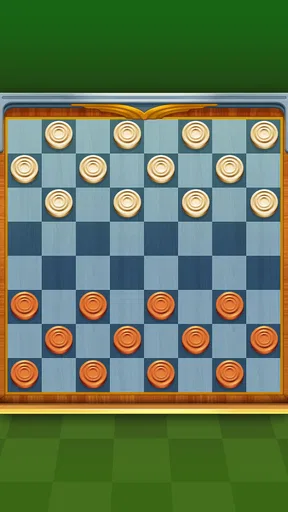
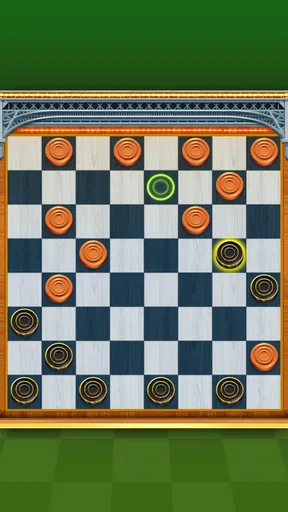
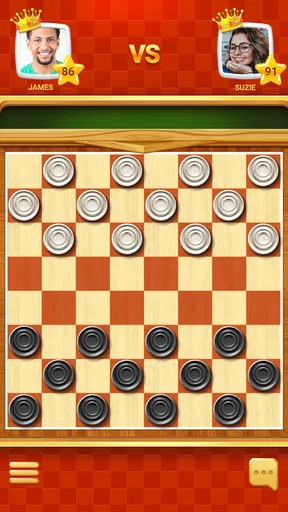
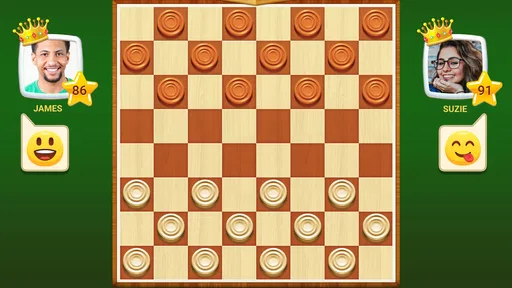
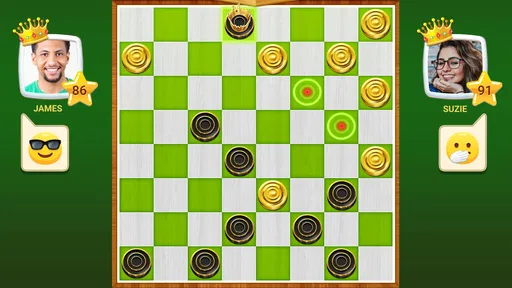
 Analysis by AppCompare
Hey there, fellow game enthusiast! I’ve recently had the chance to dive into the world of Checkers - Online & Offline, and let me tell you, it’s a blast from the past with a modern twist. Whether you're a seasoned player or a newbie looking to learn, this app has something for everyone.
The first move: getting started
For me, the appeal of a mobile checkers game is being able to begin quickly, without having to set up a physical board or find someone free at the same time. This one is a board game from GamoVation, and its basic promise is easy to understand: play checkers on your phone. It’s free to start, rated for Everyone, and has an average rating of 4.4 from around 260,000 ratings, with more than 10 million installs. Those figures suggest a broad audience, though popularity alone won’t tell you whether the pace suits you.
The game is a better fit for short stretches of attention than for someone looking for a sprawling campaign. A useful way to approach it is to decide what you want from a visit before opening a match: a quiet practice session, a quick test of your instincts, or the concentration of a longer contest. That small choice helps keep the game satisfying rather than turning every spare minute into an unplanned series of rounds.
Getting Started with Checkers
First things first, let’s talk about getting started. Downloading Checkers - Online & Offline is a breeze. It’s available on both Android and iOS, so you can grab it from the Google Play Store or App Store, depending on your device. Once you’ve installed it, you’re greeted with a straightforward and user-friendly interface. No need to fumble around; everything is laid out clearly.
Game Modes Galore
One of the standout features for me was the variety of game modes available. You can play offline against an AI opponent, which is perfect for honing your skills. The AI has multiple difficulty levels, so whether you're a beginner or a pro, there’s a challenge waiting for you.
But what really hooked me was the online multiplayer mode. It’s super smooth and matches you up with opponents from around the world in no time. Plus, there’s a chat feature, so you can exchange a friendly “good game” or discuss strategy with your opponent.
Choosing the right kind of match
In everyday use, the offline option is the safer pick when I want a game without depending on a live opponent. It also gives a newcomer room to pause and think through a move without feeling hurried by another person. Online play has a different appeal: the other player’s choices make a familiar board less predictable, so it can be more engaging once you’re comfortable with the rules.
Worth Reading Before You Choose

Flipboard Shows What News Apps Must Do Beyond the Feed

Switching to Android Auto Means Rethinking Your Driving Routine

Google Calendar Makes a Crowded Week Easier to Manage

Ludo King Makes the Most of the Minutes Between Plans

Baby Panda World Brings Quick Play to Modern Phones, but Its Game Library Feels Busy

ESPN’s Live Game View Makes Following Close Games Easier
That difference matters if you’re deciding whether to install it for a particular purpose. For a commute with patchy connectivity, offline play is the practical choice; for a focused match when you have a reliable connection and want human competition, online play is the one to try. If you mainly want to play in person with someone beside you, a physical board may still be more convenient and sociable than passing a phone back and forth.
A realistic routine might be a short AI game during a quiet break, followed by an online match later when you have time to concentrate. I’d avoid starting a live game just before you need to leave: checkers rewards patience, and rushing decisions to meet a real-world deadline can make a close position feel more frustrating than fun.
The Visuals and Sounds
When it comes to aesthetics, the app doesn’t disappoint. The graphics are clean and crisp, with a variety of board designs to choose from. You can switch things up to keep the game visually interesting. The sound effects are subtle and enhance the gaming experience without being obtrusive. Plus, if you’re someone who prefers silence while strategizing, you can easily turn them off.
That ability to quiet the board is especially useful in shared spaces: I can play without adding another stream of noise on a bus or in a waiting room. A different board appearance can make a long session feel fresher, but it doesn’t change the underlying decisions. I’d treat the visual options as a comfort setting, not a gameplay advantage, and choose a design that keeps pieces easy for me to distinguish at a glance.
Learning and Improving
If you’re new to checkers, this app is a great place to start. There’s a comprehensive tutorial that walks you through the rules and basic strategies. And for those who want to take their game to the next level, there are tips and tricks available to help improve your strategy.
There’s also a stats tracker, which is a neat feature for anyone serious about improving. You can review your past games, see your win/loss ratio, and identify areas for improvement. It’s a bit like having a personal coach in your pocket.
Turning a loss into a useful reset
The most helpful improvement habit is to review one decision at a time instead of treating a result as a verdict on your ability. After a loss, I’d ask which move left a piece exposed, or whether I traded pieces without a clear reason. After a win, I’d still look for a moment where the opponent could have put me under pressure. That makes the stats and past-game review more useful than simply checking whether the overall record is rising.
Difficulty selection also works best as a deliberate adjustment. If an opponent is overwhelming you, stepping down can give you room to practice safe movement and basic exchanges; if you are winning without thinking, a harder challenge can make you slow down and plan. The trade-off is that playing an AI is practice against a computer, not a substitute for reading a human opponent’s habits. I’d mix the two rather than assuming success in one mode automatically means the same result online.
Community and Tournaments
Another cool aspect of Checkers - Online & Offline is the community element. There are regular tournaments where you can test your skills against the best. It adds an exciting competitive edge and gives you something to aim for. Plus, there’s a leaderboard, so you can see how you stack up against other players.
The community is welcoming, and the developers are pretty active. They’re always looking to improve the app, and updates roll out regularly to fix bugs and introduce new features.
For me, the value of online competition is the change in rhythm: an AI match can be a controlled practice session, while a tournament or leaderboard gives a win a clearer sense of progress. That competitive layer is optional in spirit, even if it is appealing to players who like goals. If rankings make a casual hobby feel like homework, I’d ignore them and use the game for the board itself. A relaxed match can be a better reward than chasing a position on a leaderboard.
Cost, device fit, and who should skip it
The game is free, with optional in-app purchases ranging from $0.99 to $99.99 per item. I’d approach those as extras rather than a requirement for deciding whether checkers itself is enjoyable; there’s no need to spend simply to find out whether the core game suits you. The current version is 2.9.3, and it requires Android 6.0 or later. If you’re using an older Android device, checking compatibility before you plan around it is sensible.
Checkers is a good choice if you already enjoy turn-based board games, want something familiar to practice on your own, or like the possibility of moving from solo play to online opponents. It is less suitable if you want a fast action game, a story to follow, or a deep collection of unrelated activities. Compared with a physical board, it is easier to carry and can offer solo and online play; compared with a dedicated strategy game, its appeal is the simple focus on checkers rather than a wide range of systems.
Final Thoughts
So, would I recommend Checkers - Online & Offline? Absolutely! It’s a solid app that caters to both newcomers and veterans of the game. With its range of features, ease of use, and active community, it’s a fantastic way to enjoy checkers in both online and offline settings.
My one qualification is that the best experience depends on how you like to play. If you want calm practice, start with the AI and give yourself time to consider each move. If you want the uncertainty of a real opponent, take that practice online. Either way, a match has a natural reset: the board clears, you can carry one lesson forward, and the next game begins with a fresh position. That simple cycle of choosing a move, seeing its consequence, learning from the result, and starting again is why I can see myself returning to it.
If you’re ready to start playing, go ahead and download it. Whether you’re killing time on your commute or looking to engage in a strategic battle with friends, this app has got you covered. Happy playing!
Pros
- Smooth
- intuitive user interface.
- Multiple difficulty levels available.
- Play both online and offline modes.
- Customizable game settings.
- Includes tutorial for beginners.
Cons
- Contains in-app advertisements.
- Limited themes for personalization.
- Requires internet for online play.
- No option for multiplayer chat.
- Occasional connectivity issues online.
FAQs for Checkers - Online & Offline
Is Checkers - Online & Offline free to download and play?
Yes, Checkers - Online & Offline is free to download from both the Google Play Store and the Apple App Store. The game offers a wide range of features at no cost, though it does include optional in-app purchases for those who wish to enhance their gaming experience with additional themes or ad-free gameplay.
Can I play Checkers - Online & Offline without an internet connection?
Absolutely! Checkers - Online & Offline supports both online and offline modes. You can enjoy a solo game against the AI or challenge friends in offline multiplayer mode. This makes it a perfect choice for commutes or when you're in areas with limited connectivity.
What are the main features of Checkers - Online & Offline?
The app offers a variety of features including multiple difficulty levels, online multiplayer mode, and customizable board themes. It also provides tutorials for beginners and detailed game statistics to track your progress. The user-friendly interface ensures a smooth and enjoyable gaming experience for all skill levels.
Are there different versions of Checkers available in the app?
Yes, the app includes several versions of Checkers such as American Checkers, International Draughts, and more. This variety allows players to explore different rules and styles, catering to both traditional enthusiasts and those looking to try something new. Each version is well-documented within the app for easy learning.
How does the app ensure fair play in online multiplayer mode?
Checkers - Online & Offline uses a robust matchmaking system to pair players of similar skill levels, ensuring balanced competition. Additionally, the app has anti-cheat measures in place to prevent unfair advantages, and a reporting system for users to flag suspicious behavior, maintaining a fair and enjoyable environment for all players.


